from Yorn Studio

The Yorn App. Your whole studio, in one calm place.

Plan projects, price your work, keep up with clients, take bookings, send branded quotes, contracts and invoices, track inventory and publish a portfolio. Built for artists, makers, musicians, designers, photographers, writers and every independent creative, not accountants.

See it at work

Real screens from a sample studio, on a computer and on a phone.

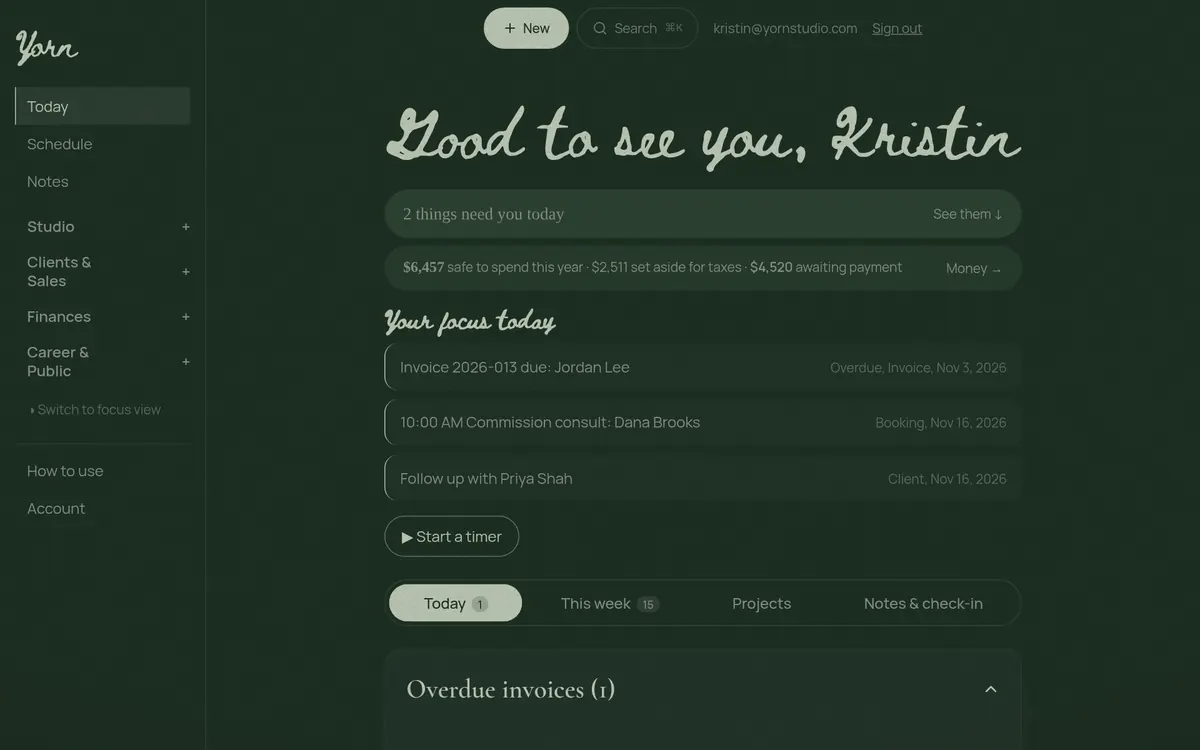
Know what needs you today

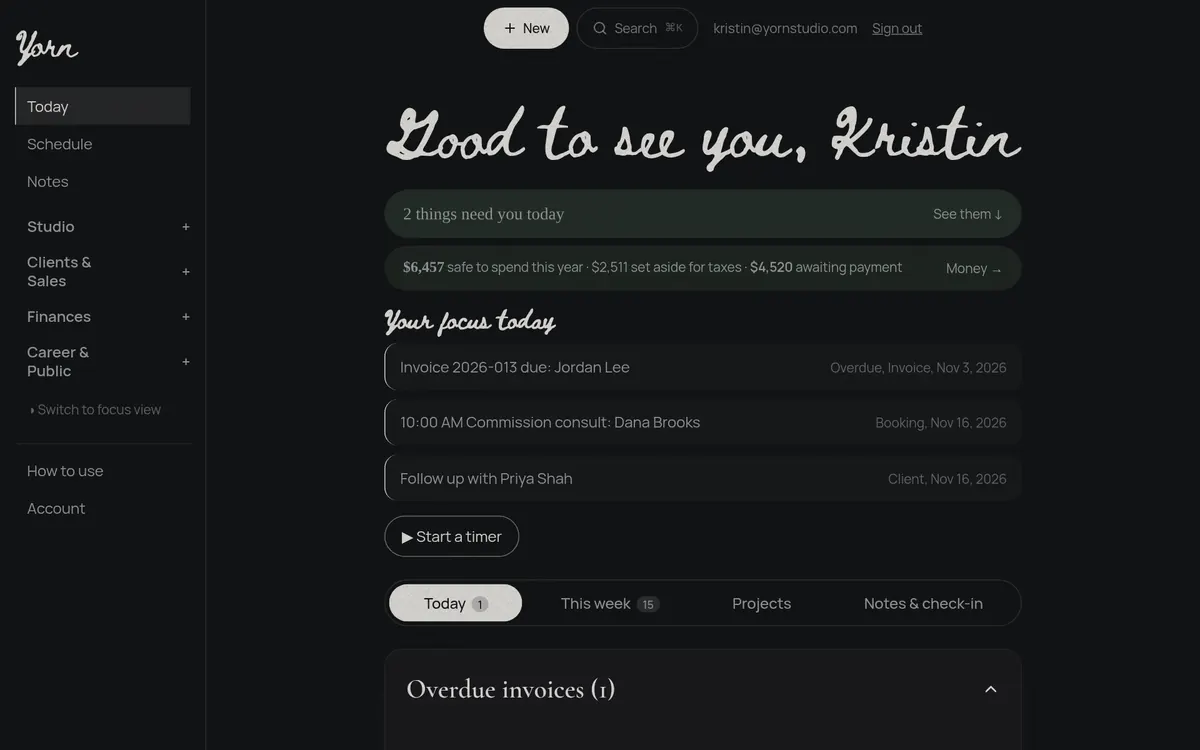
Overdue invoices, today's bookings and who to follow up with, all in one list. Your safe-to-spend number and tax set-aside sit right on top.
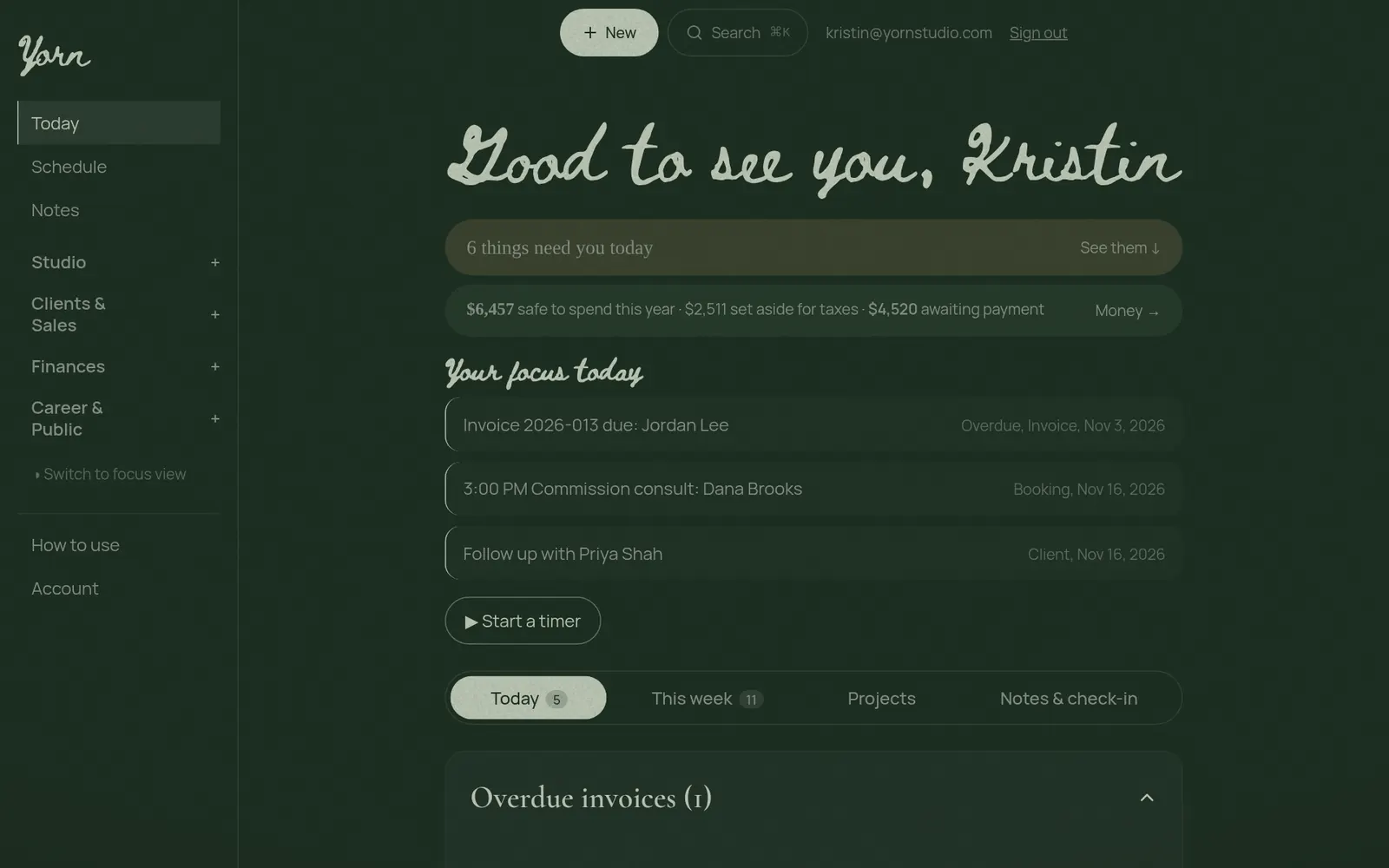
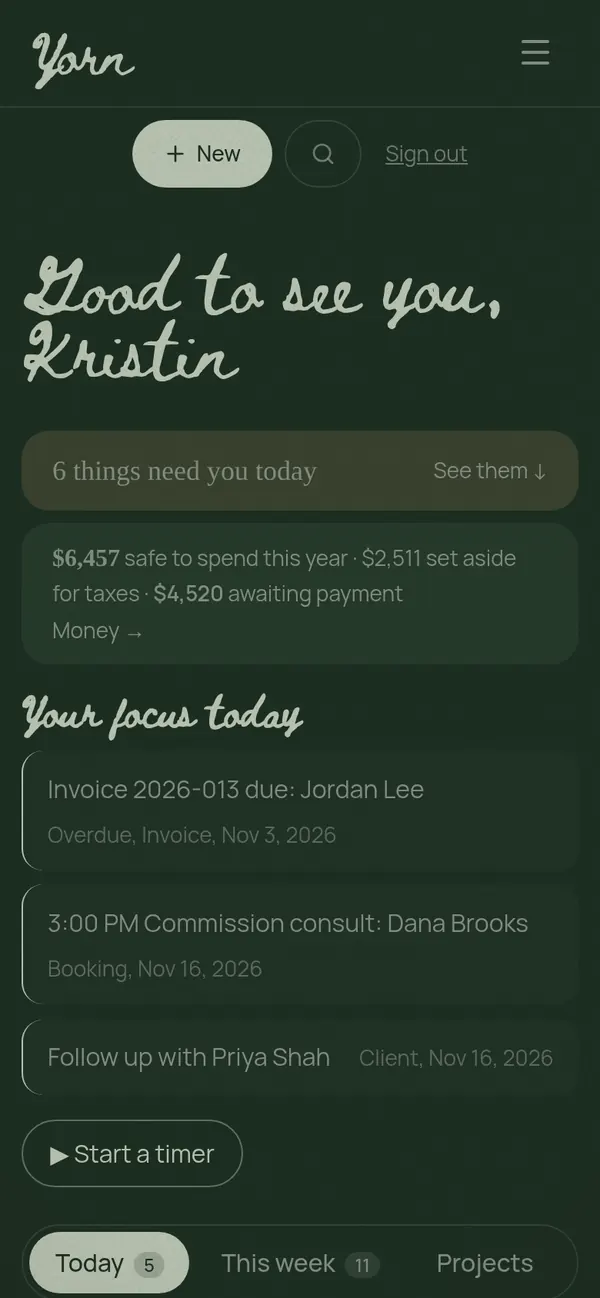
Today page with safe-to-spend money and a focus list of an overdue invoice, a booking and a follow-up, on a computerToday page with safe-to-spend money and a focus list of an overdue invoice, a booking and a follow-up, on a phone

See where your money goes

Income against expenses, where the money goes, what sold, where it sold and who bought it. Every sale, invoice and receipt feeds the dashboard on its own.
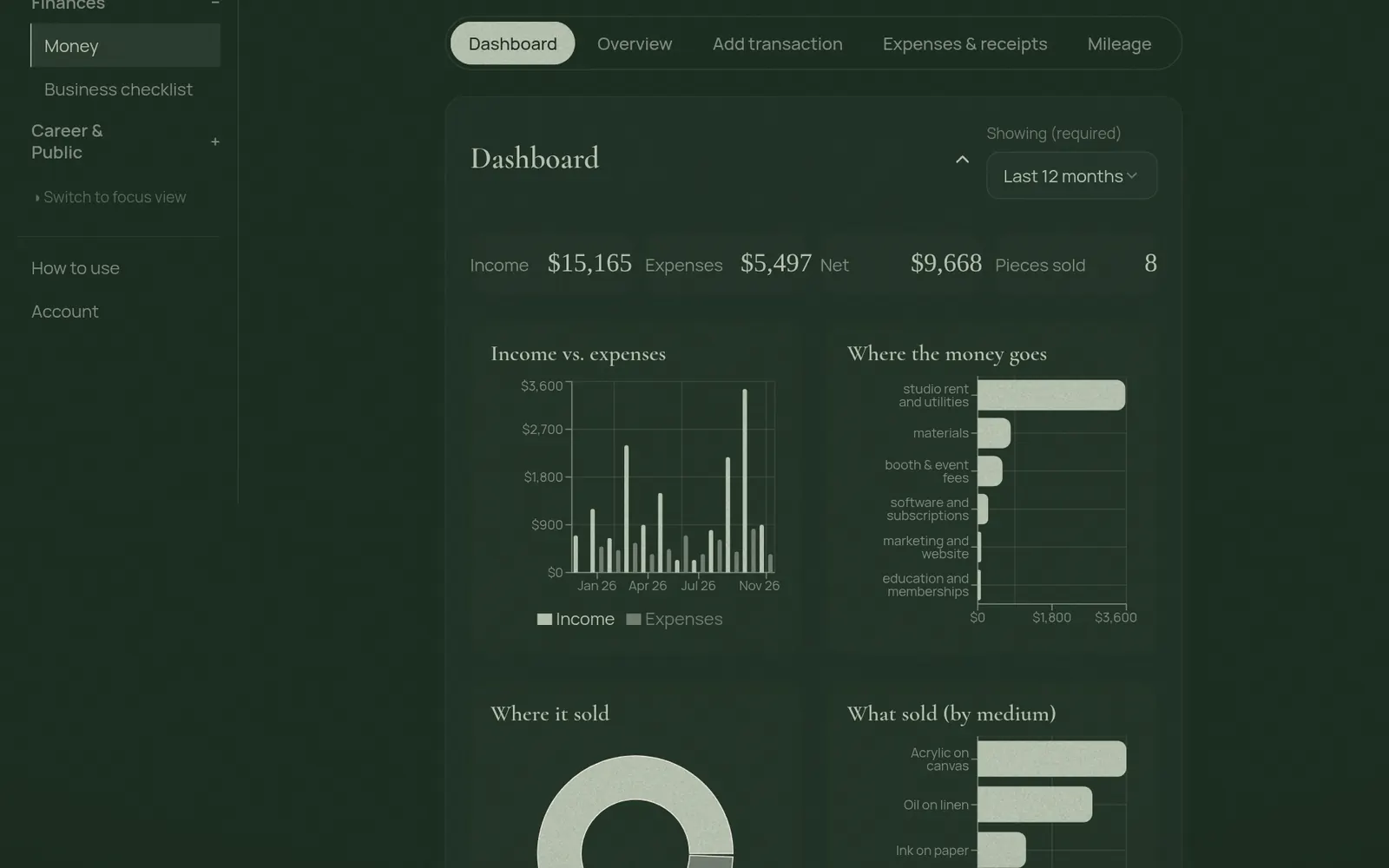
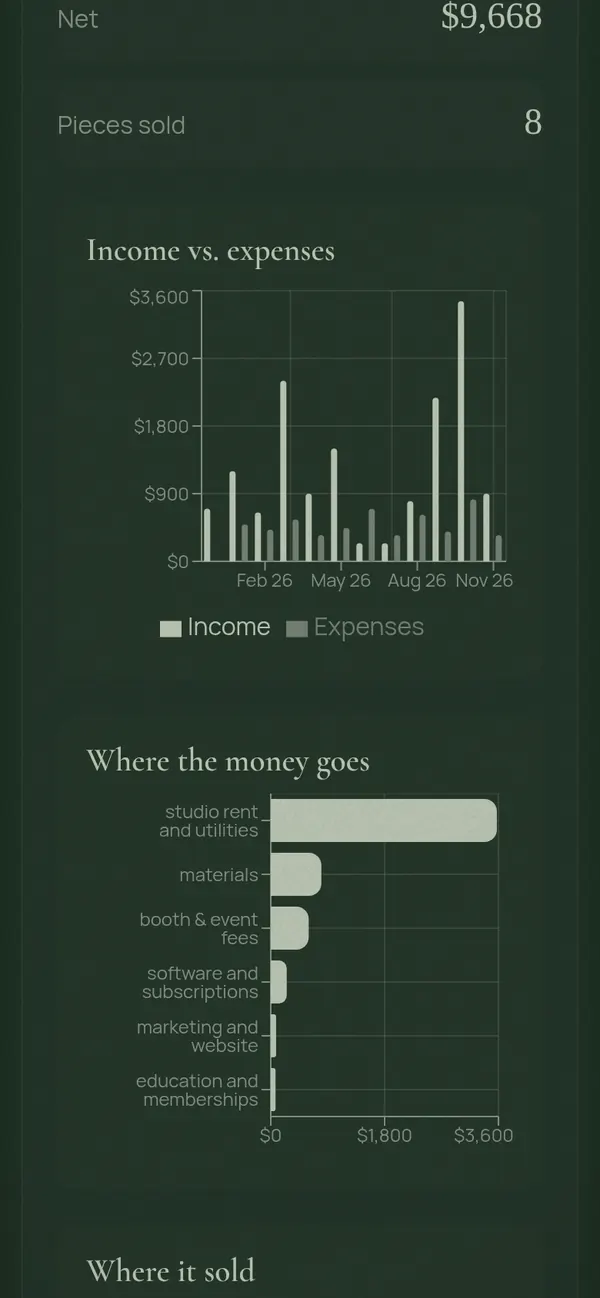
Money dashboard with income, expenses, net and charts of spending and sales, on a computerMoney dashboard with income, expenses, net and charts of spending and sales, on a phone

Every client, every detail

Lead stages, follow-ups, notes over time and what each client has paid or still owes. Add what a collector is hoping to find and Yorn points out the pieces that fit.
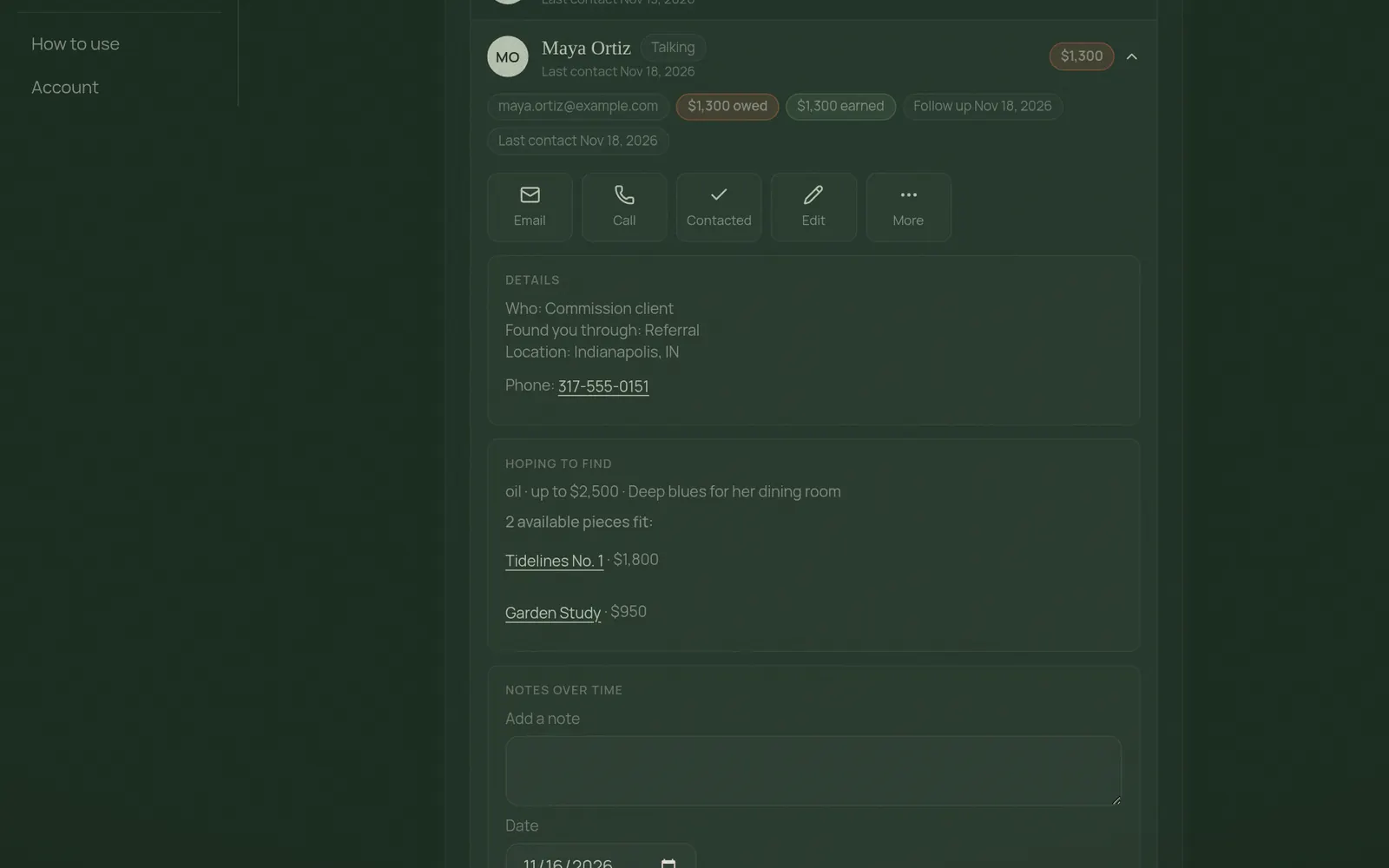
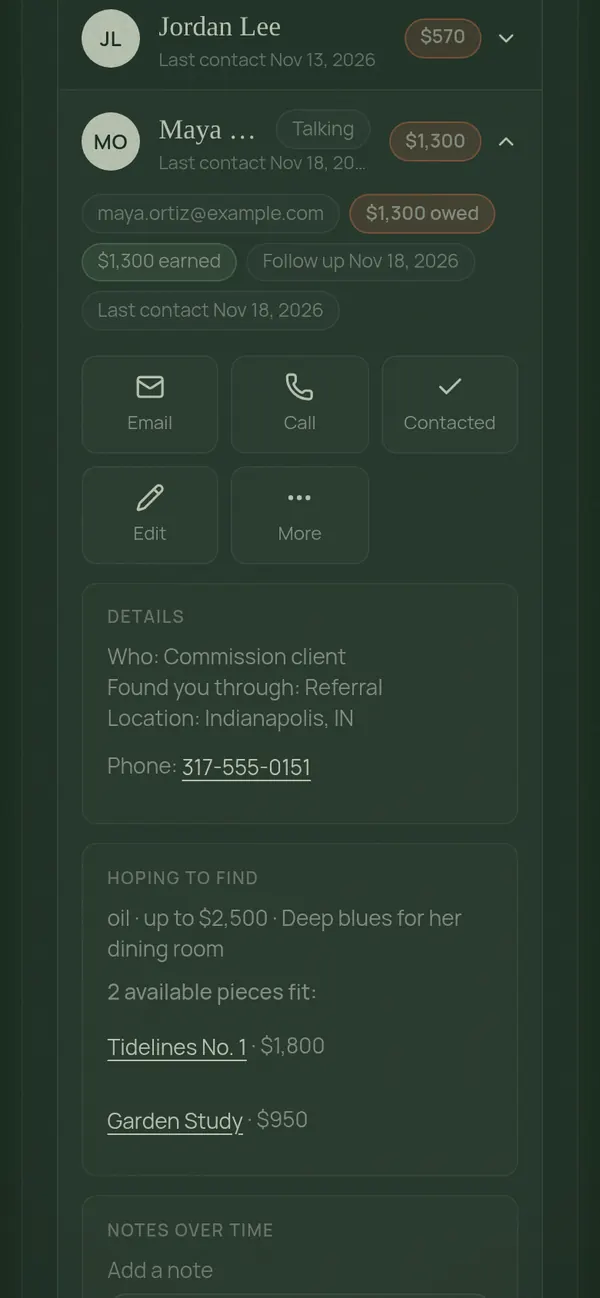
A client card showing money owed, contact buttons, details and matching available pieces, on a computerA client card showing money owed, contact buttons, details and matching available pieces, on a phone

Price with confidence

Quote a mural by the square foot, a piece by your time and materials, or a license by usage. Deposits and balances are worked out for you, and any price becomes a quote in one tap.
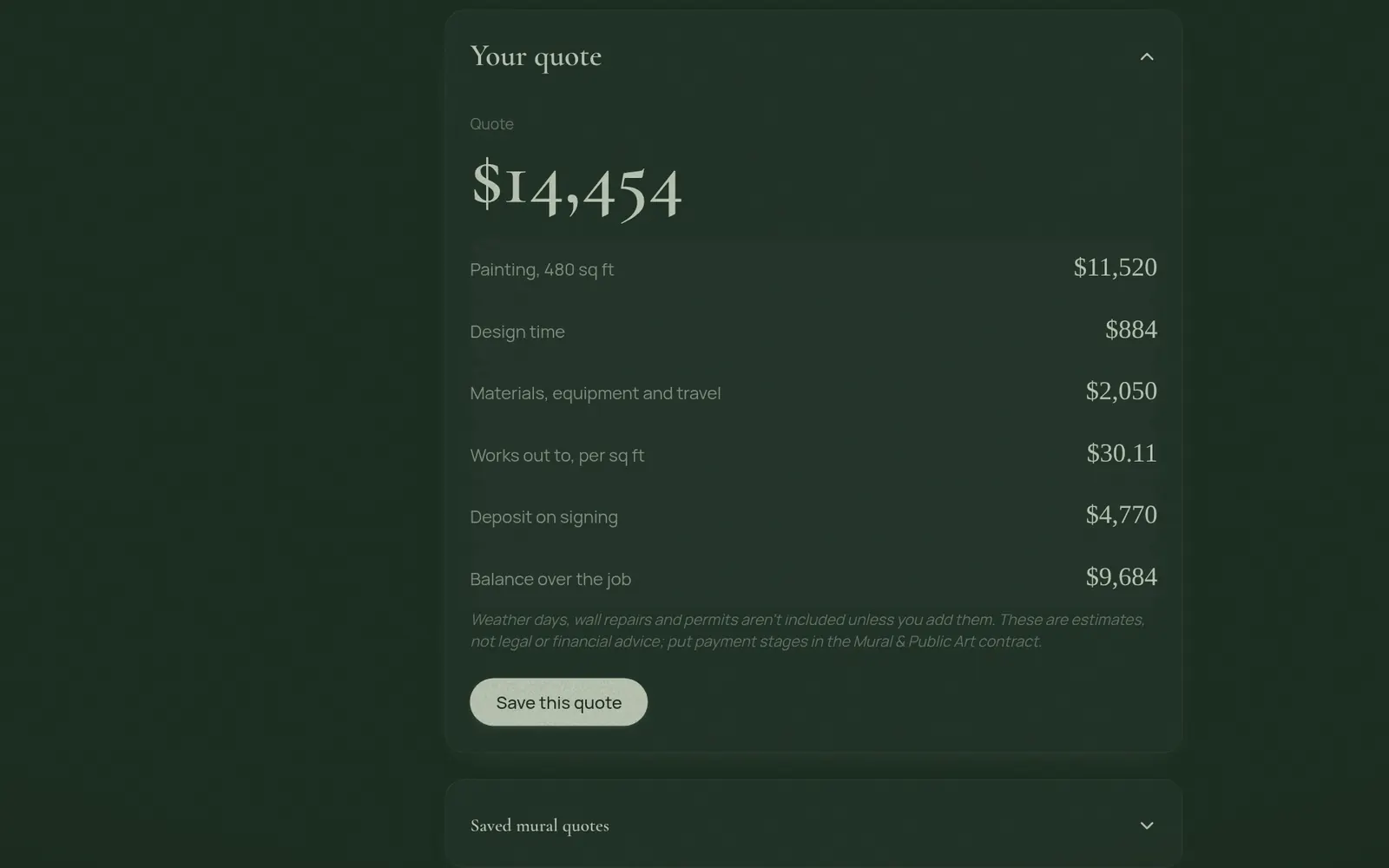
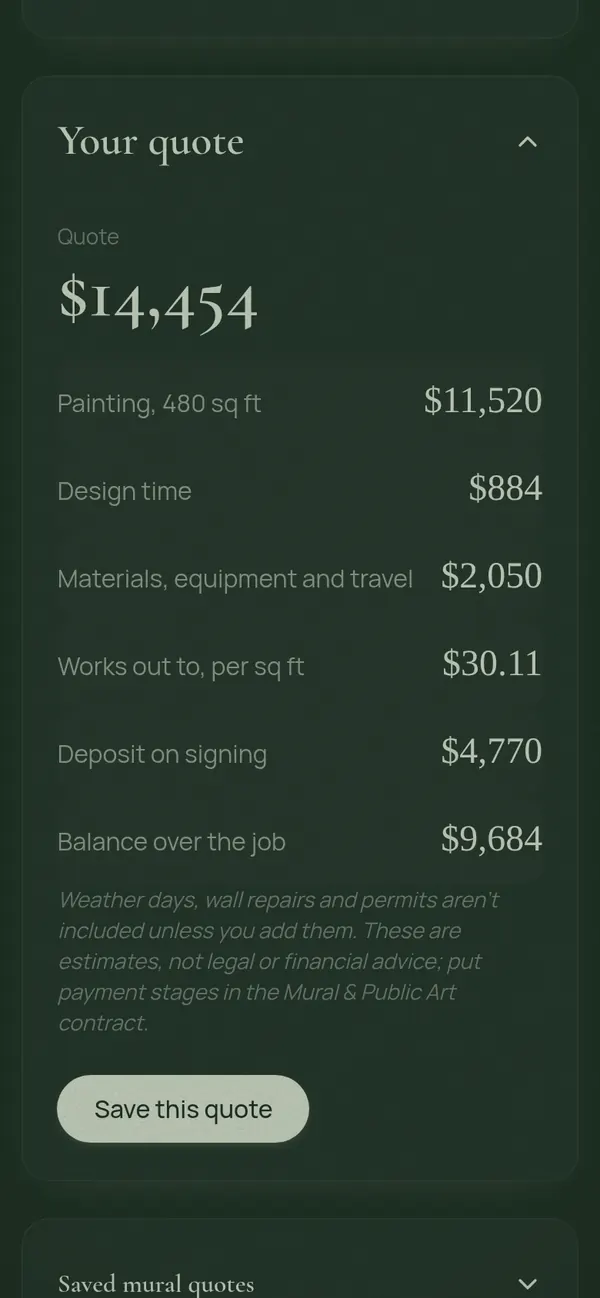
A mural quote showing the total, painting, design time, materials, deposit and balance, on a computerA mural quote showing the total, painting, design time, materials, deposit and balance, on a phone

Emails that look like your studio

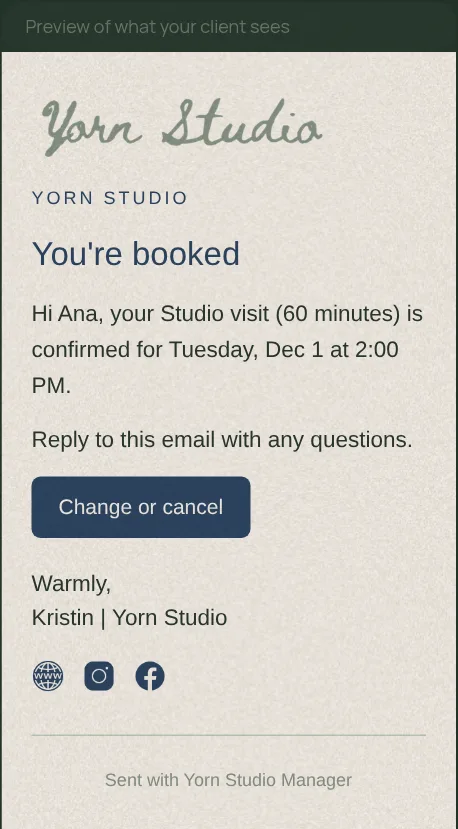
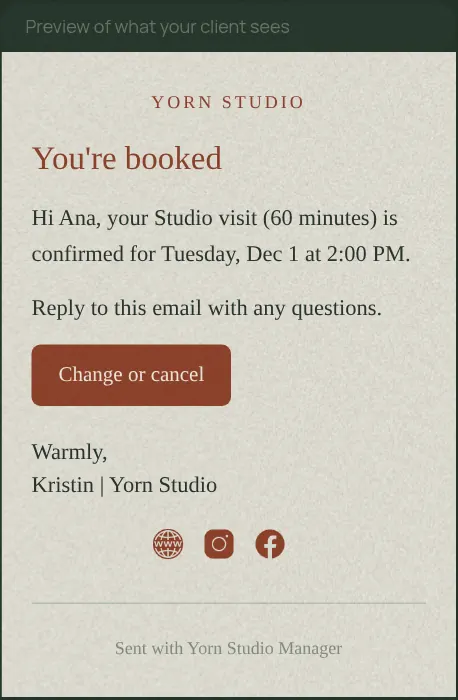
Your logo, colors, font, signature and social links on every booking, quote, contract and invoice email. Preview exactly what your client will see.
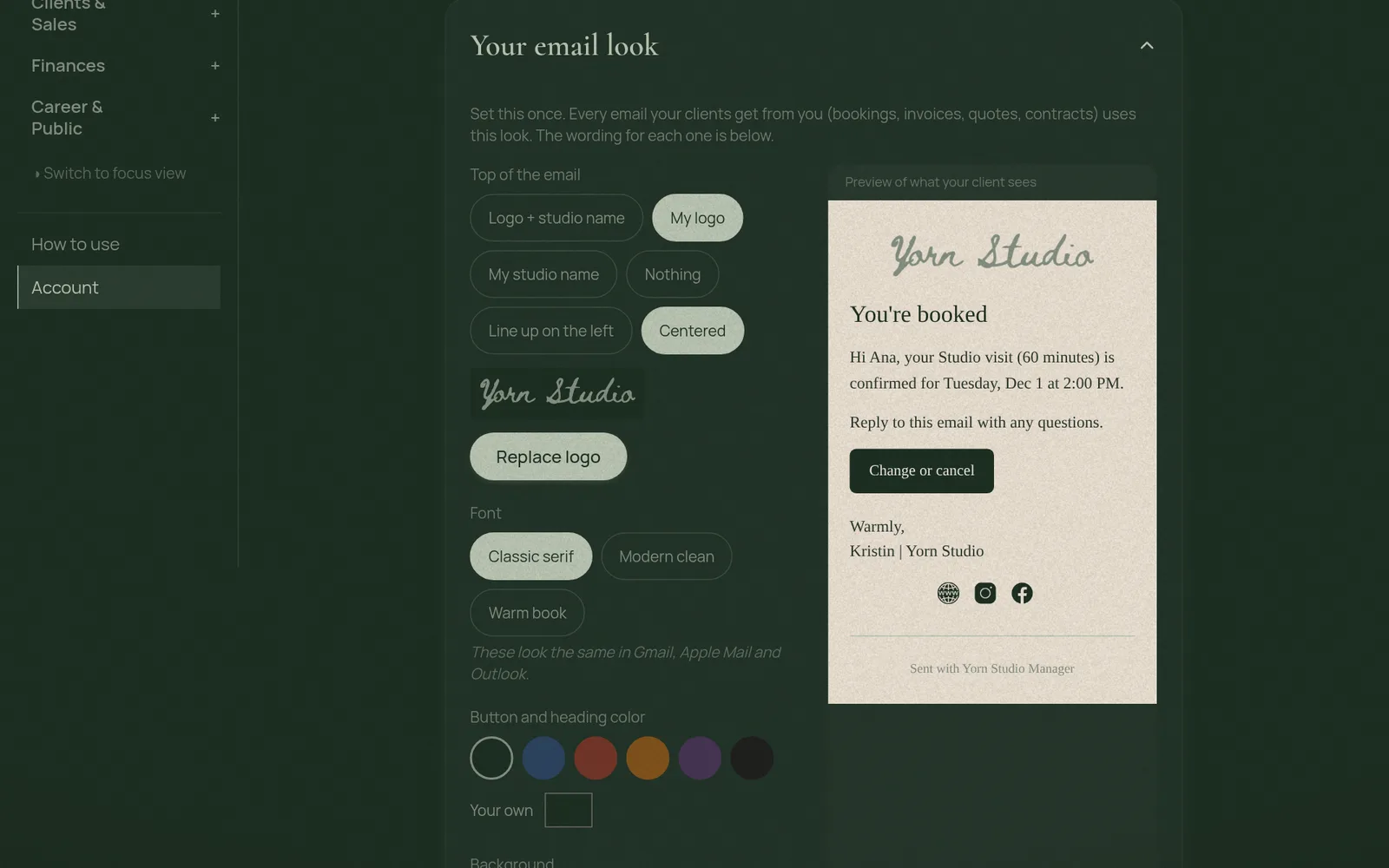
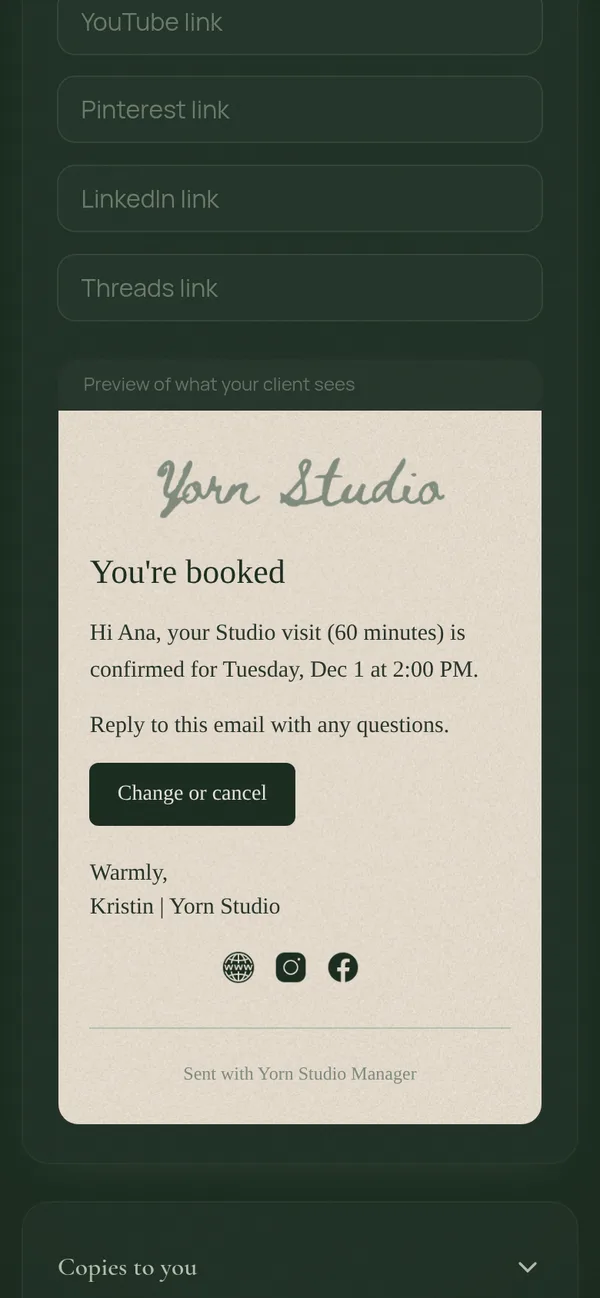
Email look settings beside a preview of a branded booking confirmation email with the Yorn logo, on a computerEmail look settings beside a preview of a branded booking confirmation email with the Yorn logo, on a phone

A private page for each client

Clients see their balance, upcoming appointments, project progress and photos in one place, without making an account.
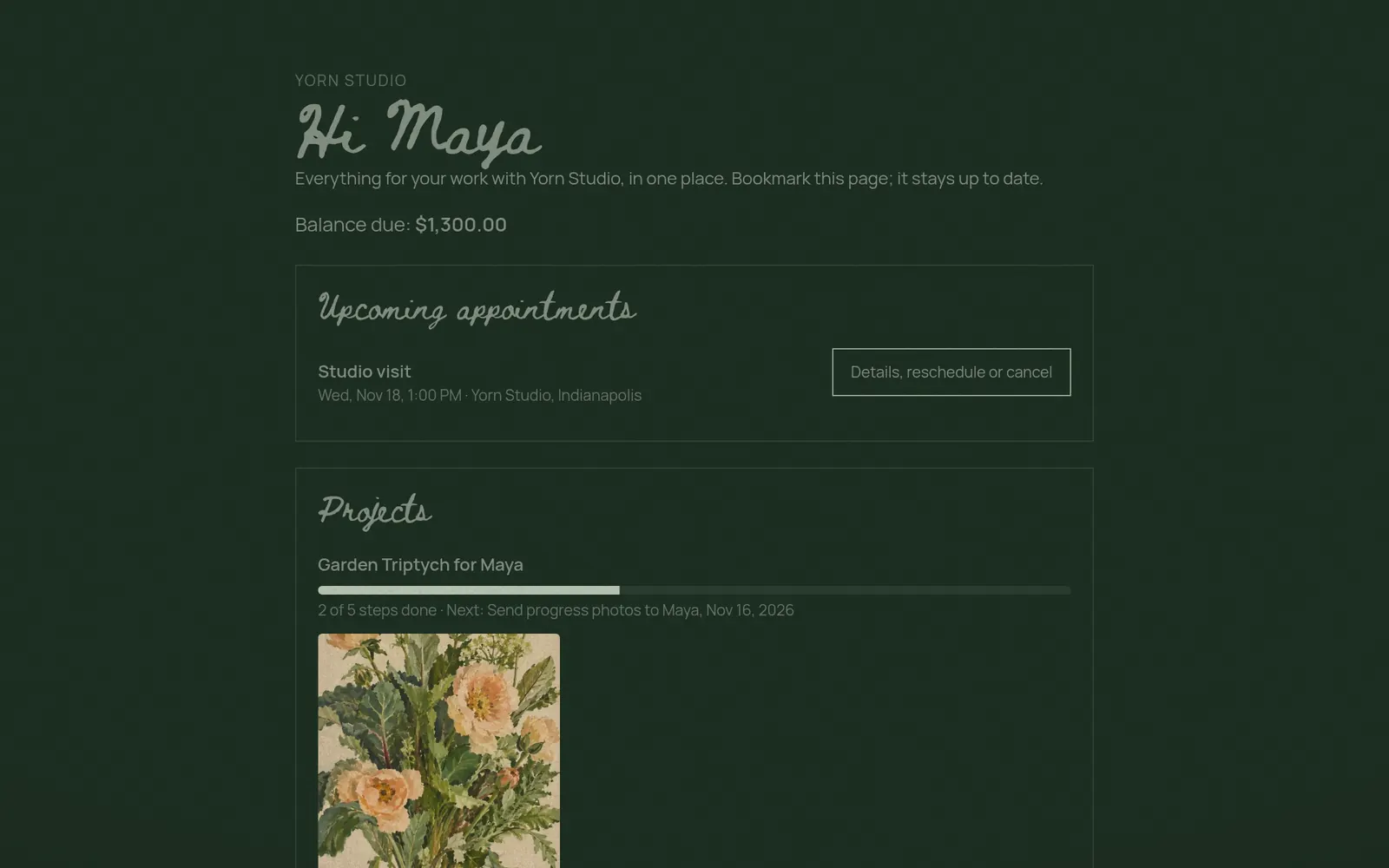
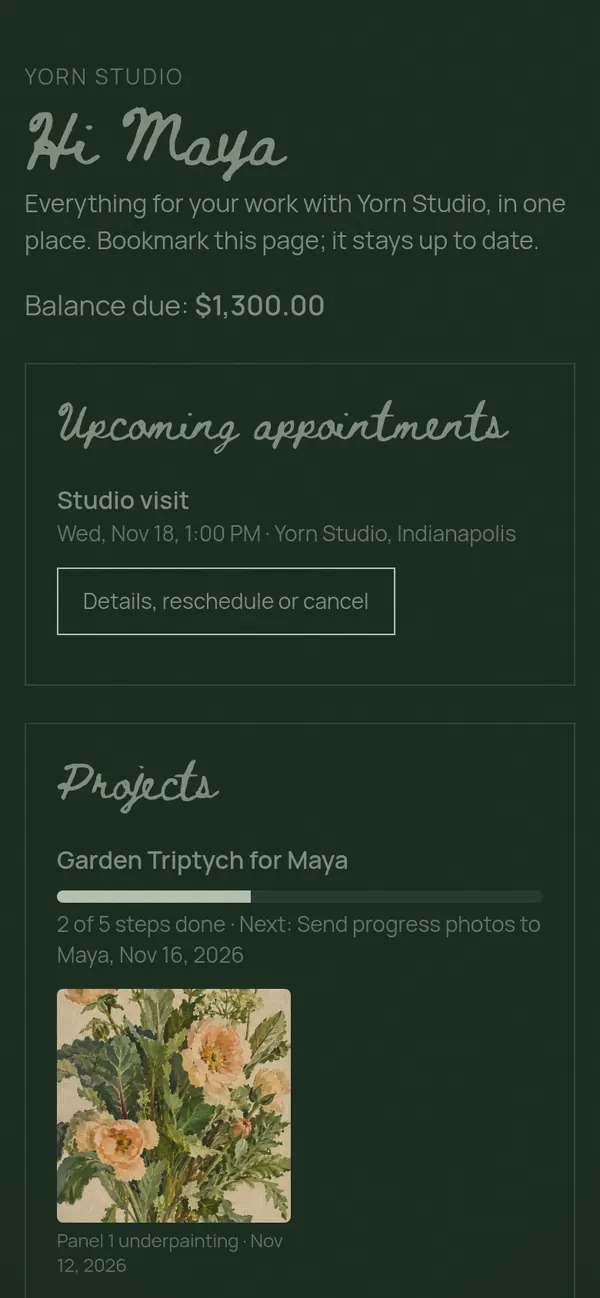
A client hub page greeting Maya with her balance, an upcoming studio visit and project progress photos, on a computerA client hub page greeting Maya with her balance, an upcoming studio visit and project progress photos, on a phone

A portfolio that keeps itself current

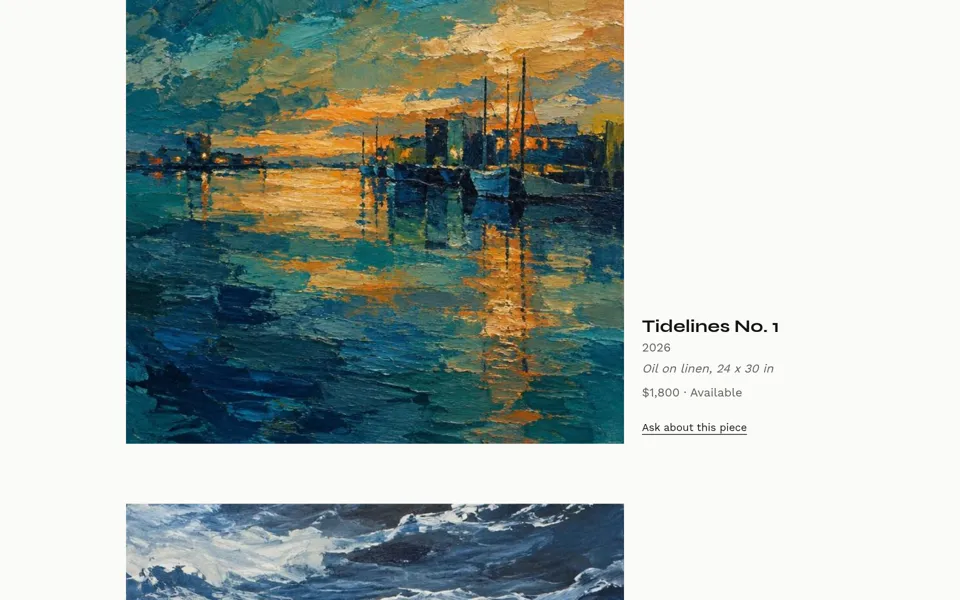
The Editorial layout groups work by series with large images, medium, size and price under each piece. Pieces show sold the moment they sell, and visitors can ask about any piece right from the page.
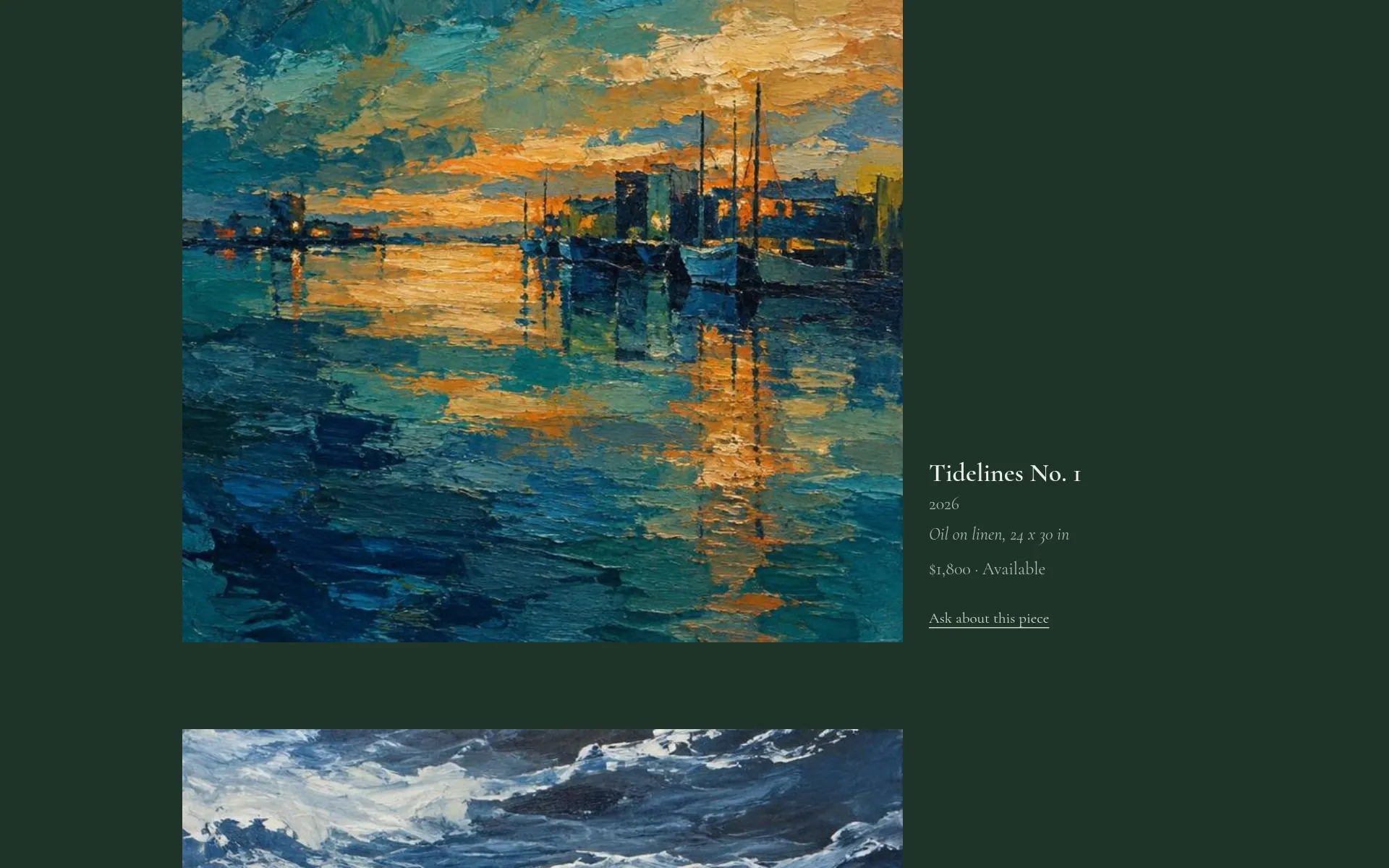
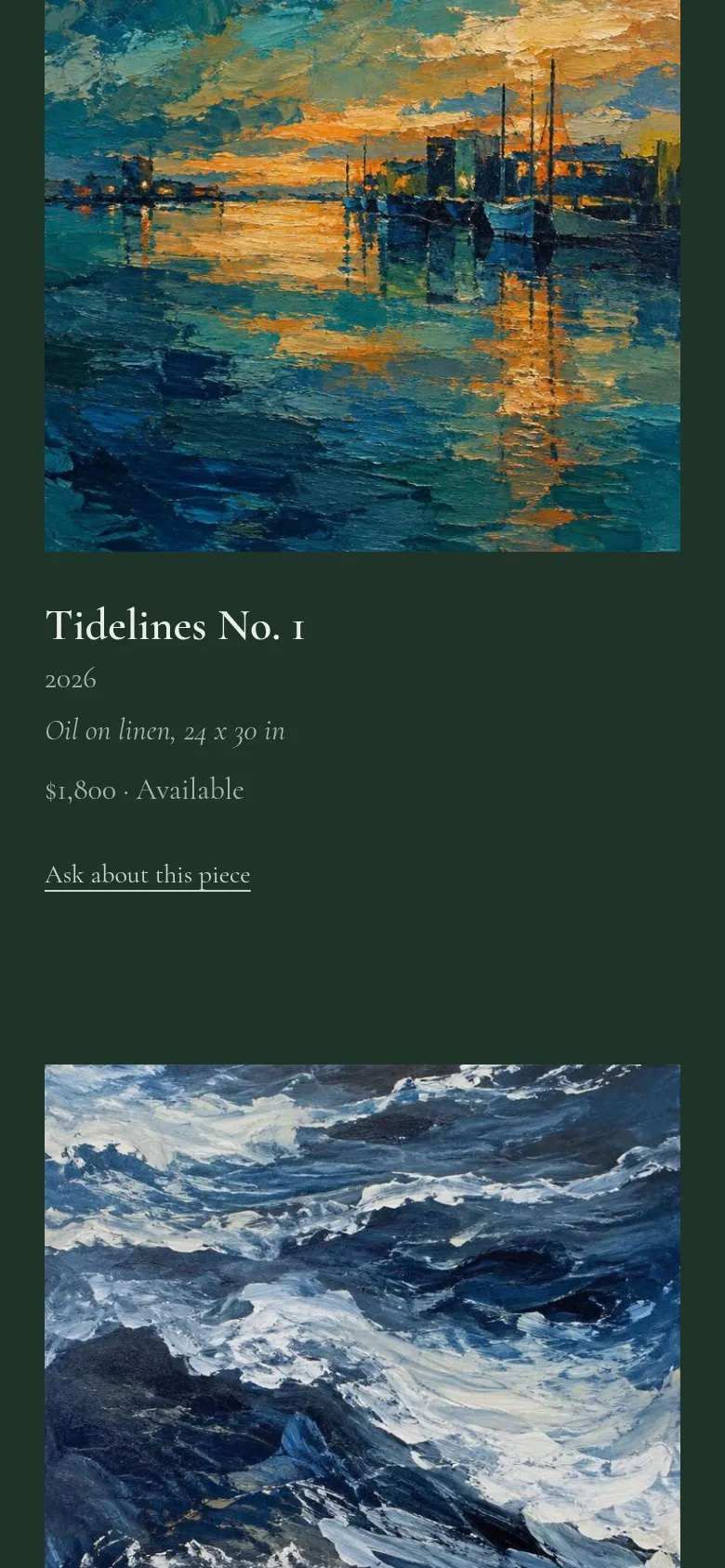
Editorial portfolio showing a large painting with its title, year, medium, size and price, on a computerEditorial portfolio showing a large painting with its title, year, medium, size and price, on a phone

Bookings without the back and forth

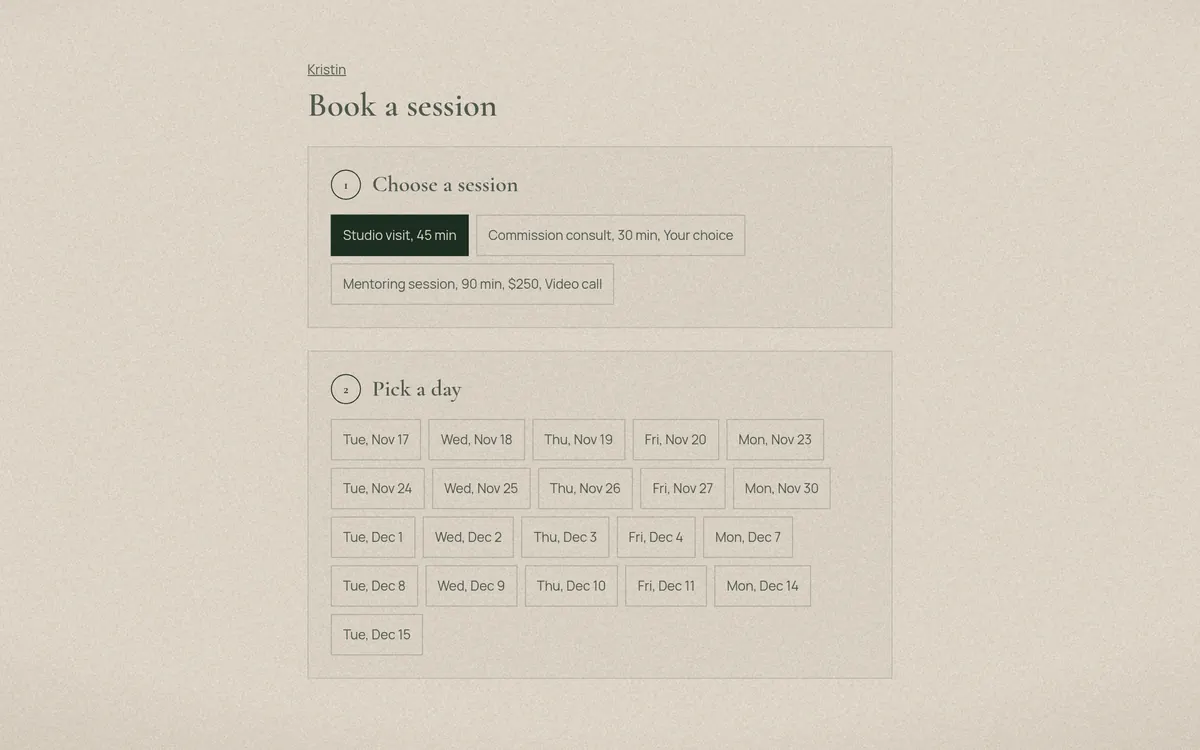
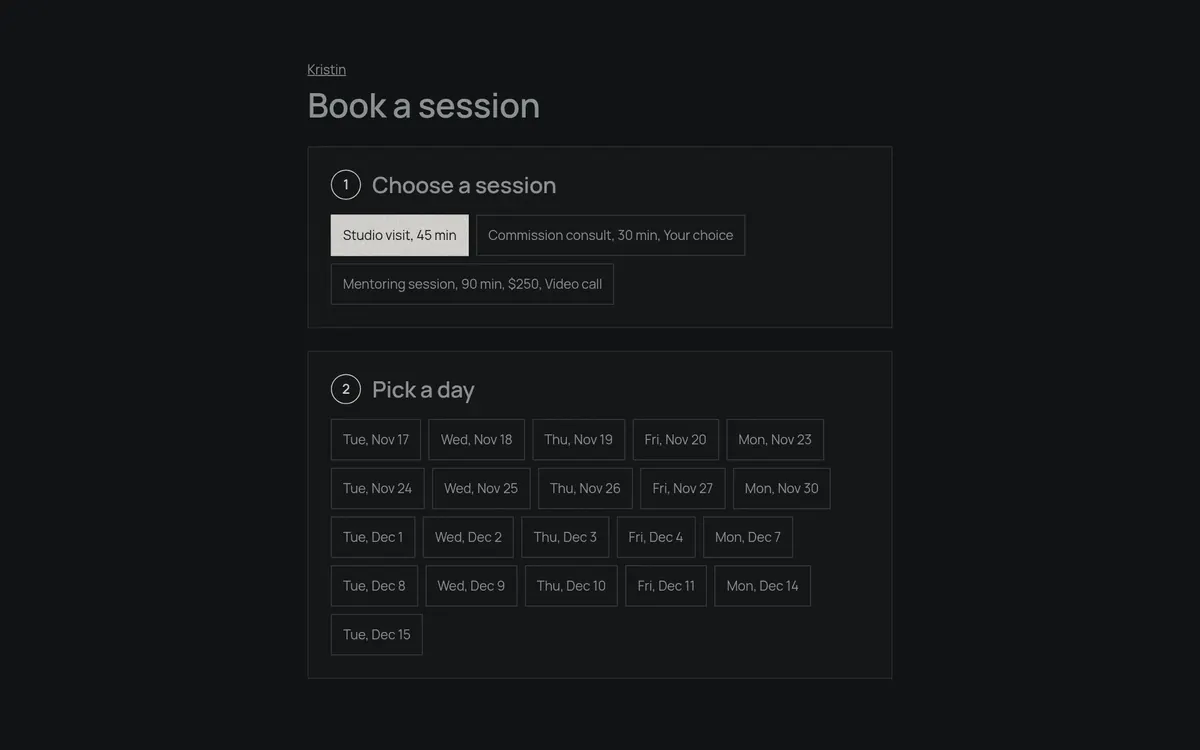
Clients pick a session, a day and a time on your own booking page. Free or paid sessions, packages, video links and your calendar all stay in sync.
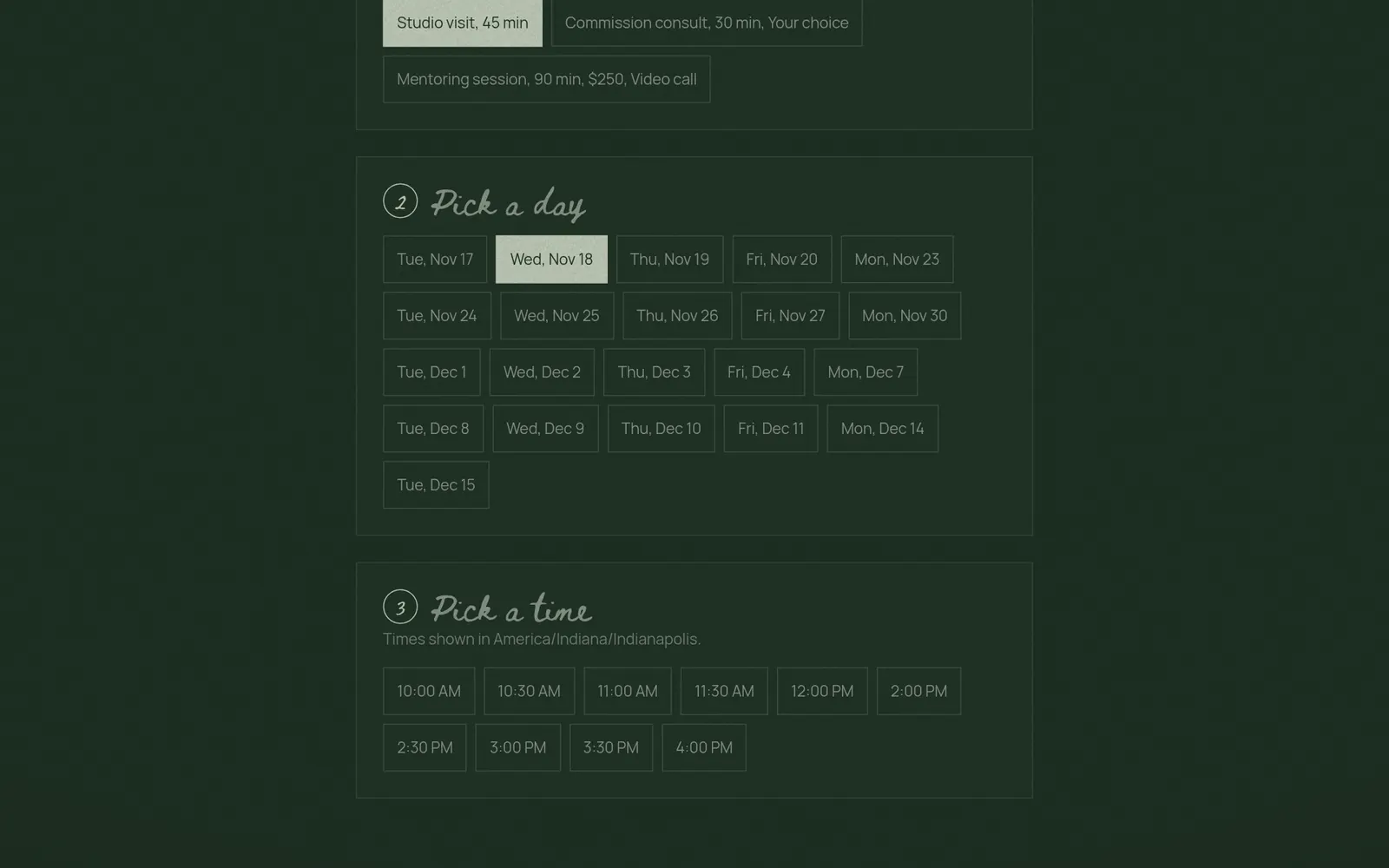
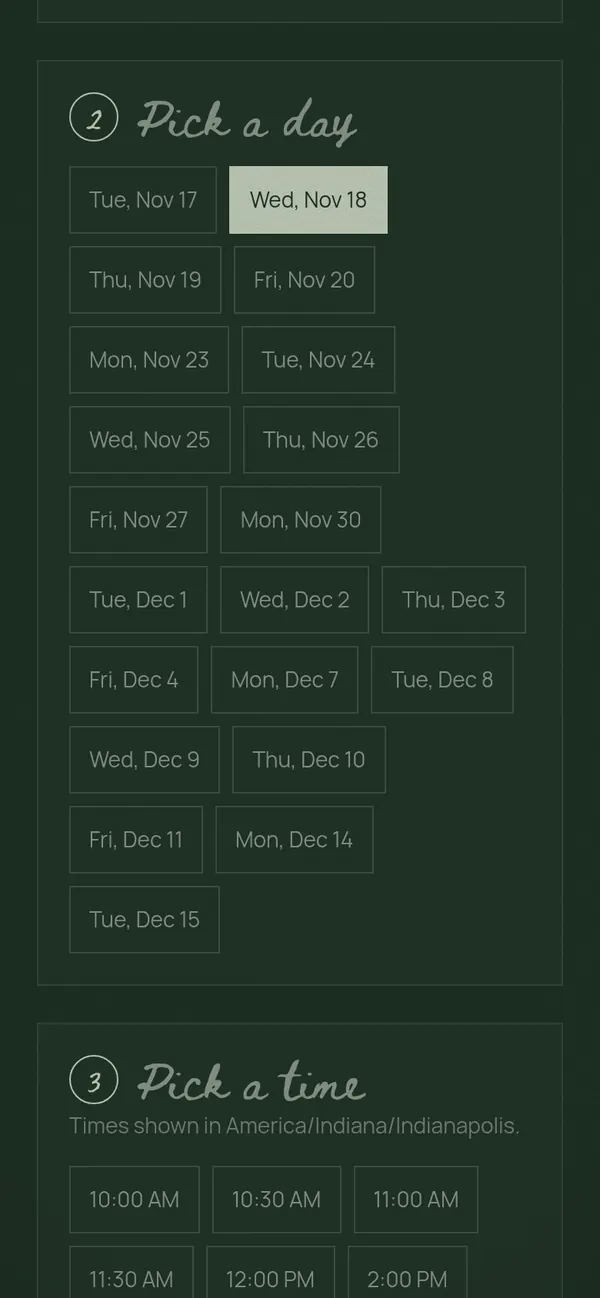
Public booking page with session types, available days and open times, on a computerPublic booking page with session types, available days and open times, on a phone

Make it yours

Everything your clients see can match your studio. Set it once and it carries through.

Portfolio themes

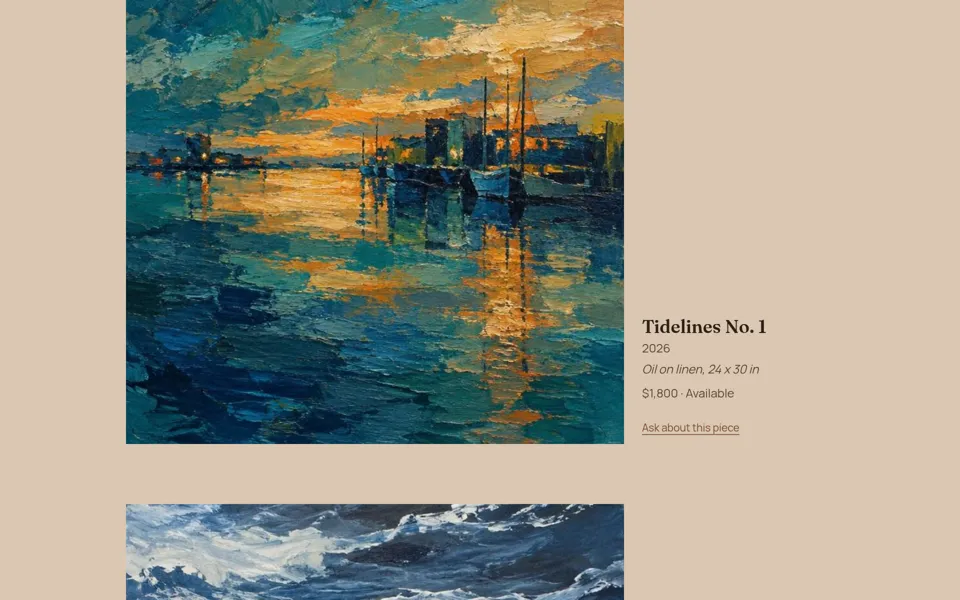
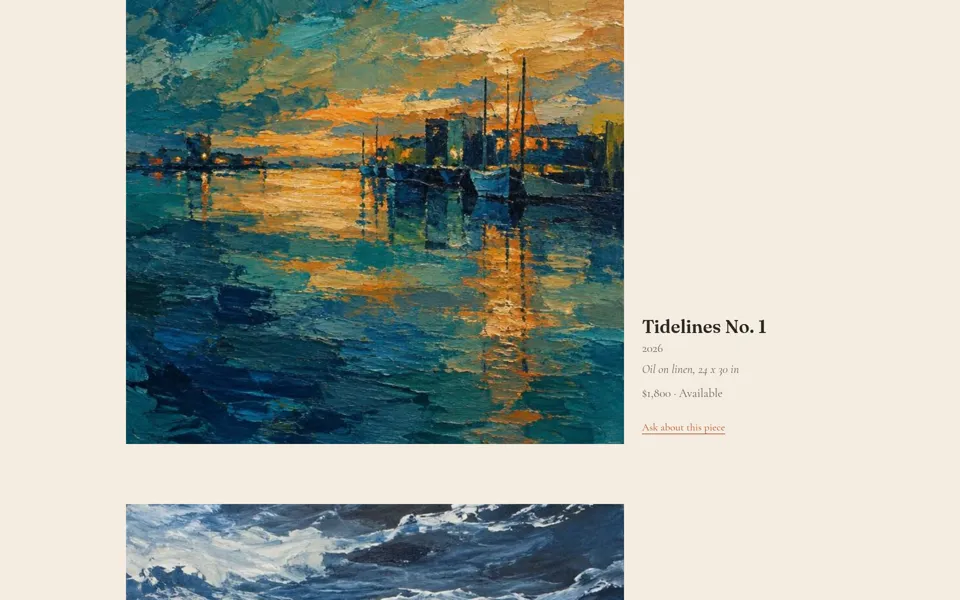
Four looks, each with its own fonts. Shown here in the Editorial layout; grid and single column are there too.
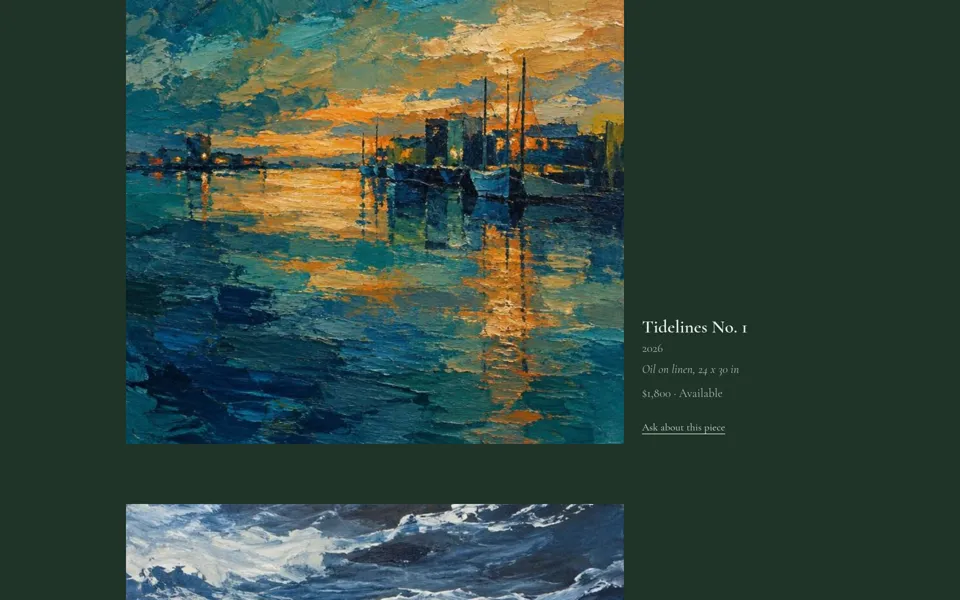
Portfolio themes: Forest
Forest
Portfolio themes: Gallery
Gallery
Portfolio themes: Ink
Ink
Portfolio themes: Clay
Clay

Booking page looks

Pick colors and type for the page clients book from.
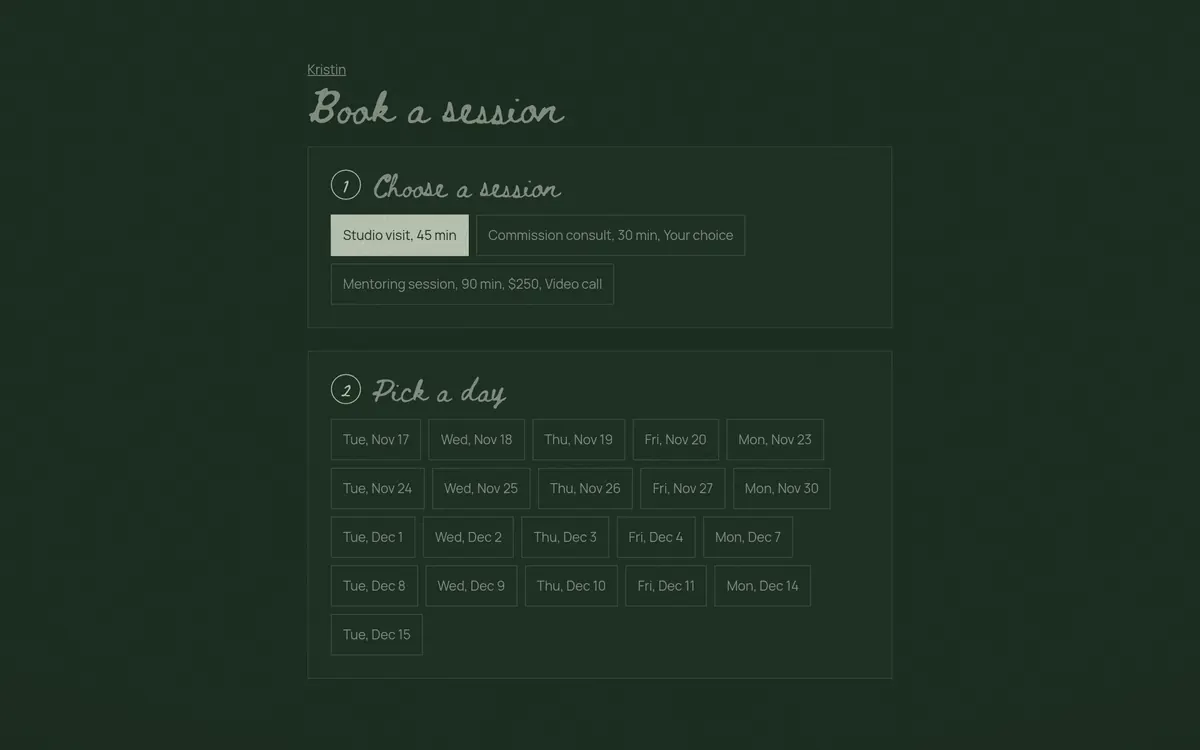
Booking page looks: Yorn
Yorn
Booking page looks: Light, classic type
Light, classic type
Booking page looks: Dark, modern type
Dark, modern type

Email looks

Logo or studio name, font, background and accent color.
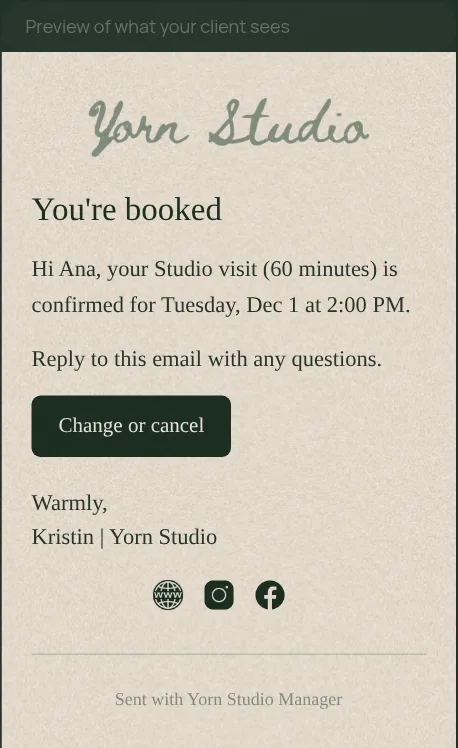
Email looks: Warm paper, logo
Warm paper, logo
Email looks: Plain white, logo and name
Plain white, logo and name
Email looks: Soft tint, studio name
Soft tint, studio name

App appearance

Work in Yorn green, light or dark.
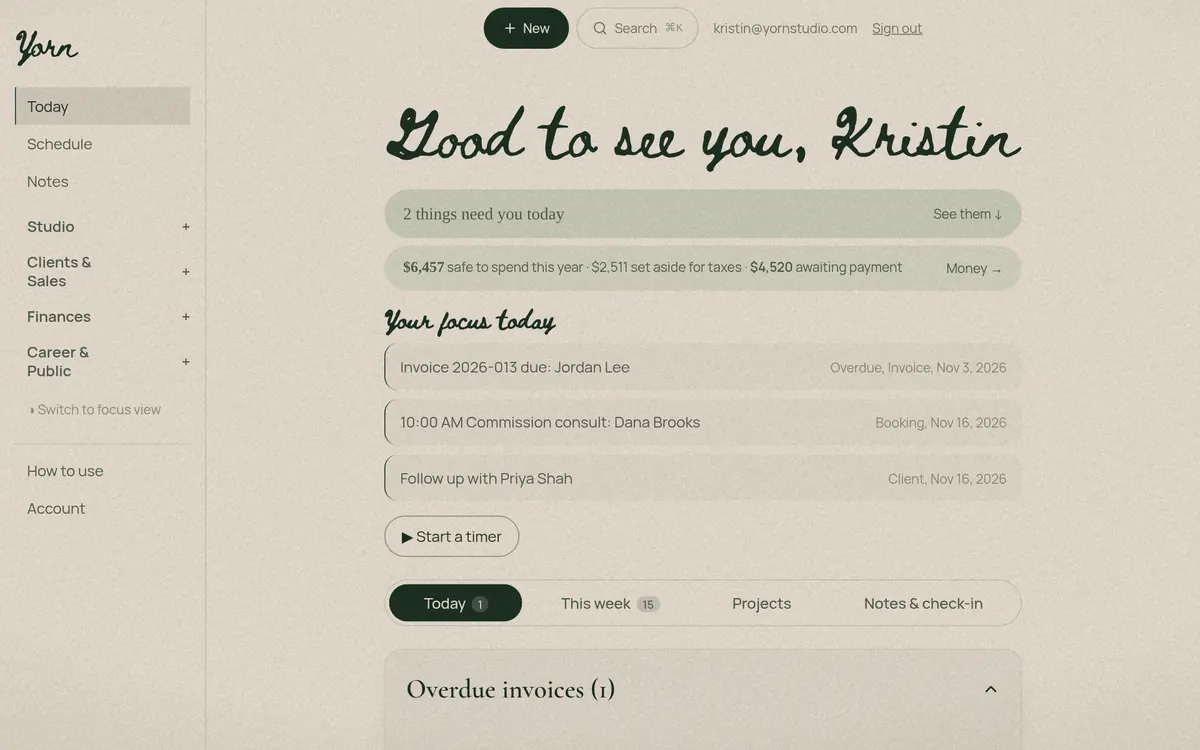
App appearance: Yorn
Yorn
App appearance: Light
Light
App appearance: Dark
Dark

Made for the work you do

Pick what you make when you sign up, as many as fit. Yorn sets its mediums, supply lists, pricing tools and menu to match, and everything else stays one tap away.

  • Painting & drawing
  • Ceramics & sculpture
  • Craft & fiber
  • Printmaking
  • Photography
  • Music & audio
  • Video & content
  • Graphic design
  • Mural & public art
  • Writing & publishing

What's inside

Pricing for every kind of work

  • Your hourly rate, built from your income goal, overhead and a lean-month reserve
  • Price any piece from your time, materials and overhead, with a wholesale price alongside
  • Murals by the square foot
  • Commercial work, licensing and brand deals, priced by usage, term and territory
  • Music: sync licensing, custom scoring and live performance
  • Writing and editing by word, page, hour or flat fee, plus print runs
  • Any saved price becomes a client quote in one tap

Today & focus

  • A Today page with what's due, who to follow up with and what's booked
  • Focus view for the one thing that matters now
  • Search everything and quick add from anywhere
  • Phone alerts for bookings, signatures and answers

Projects & records

  • Projects with steps, deadlines and a timer
  • Each project's schedule, time, money, records and contracts in one place
  • Project types for commissions, series, exhibitions, albums, tours, residencies and art fairs
  • Records of every finished piece, in series or collections

Clients & CRM

  • Lead stages from first hello to won, in one tap
  • Follow-up reminders and an outreach list
  • Wish lists that flag clients when matching new work arrives
  • Each client's full history: notes, bookings, quotes, sales and payments
  • Inquiries from your portfolio land straight in your list

Bookings & calendar

  • Your own booking page, styled to your studio
  • Session types, packages, in-person days and busy blocks
  • Google Calendar sync, video links and calendar files
  • Clients can reschedule or cancel by your rules
  • Session prep and follow-up notes

Branded emails & client pages

  • Booking, quote, contract and invoice emails with your logo, signature and footer
  • Announcements to your clients in your own style
  • Client hubs that show project progress and documents
  • Ready-made letters and notices, including takedown requests

Quotes, contracts & invoices

  • Quotes clients accept online, with deposits
  • Contract templates and proposals with online signing
  • Upload contracts others send you and keep their dates
  • Bill a project's hours and costs as one invoice
  • Invoices clients open from a link, with your payment instructions

Money & live dashboard

  • Income, expenses, receipts and mileage
  • Tax set-aside and your monthly money pace
  • A live dashboard of everything you earn and spend: income against expenses and where the money goes
  • What sold, where it sold, at what price and who bought it
  • Results for each art fair
  • A year-end summary ready for tax time

Art & selling

  • Inventory, certificates of authenticity and wall labels
  • A public portfolio with prices and buy links that updates when work sells
  • Gallery consignment sheets, settlements and wholesale line sheets
  • Art fair booth inventory, selling from the booth and packing lists
  • Supplies tracking with restock reminders

Business & career

  • A business checklist with renewal reminders for licenses, reports and quarterly taxes
  • A CV for your discipline, ready to print
  • Guided bio and artist statement writing
  • Grants, residencies and calls to track
  • Collaborators and split payments
  • Goals, check-ins and anonymous Crit Chat

Workshops add-on

  • Public event page for your classes
  • Reserve, then confirm paid tickets
  • QR check-in at the door
  • Ticket buyers join your client list
  • $79 once, on Free or Pro

Everything talks to everything. Mark a piece sold and your portfolio, inventory, money and dashboard all update. Bill a project and its hours and costs become one invoice. A signed contract moves the client to won.

Free or Pro

Start free and stay as long as you like. Move to Pro when you outgrow the limits. Nothing you've saved is ever deleted when you switch.

Free

$0 forever

  • Up to 3 active projects
  • Up to 3 saved priced pieces
  • 3 featured portfolio pieces
  • 1 new contract a month (uploaded contracts don't count)
  • One booking session type
  • Clients, invoices, expenses, time and mileage
  • Receipt photos with details you type in
  • Announcements to up to 5 people at a time
  • Session packages, inventory and galleries
Start free

Pro

$20 a month, or $200 a year

Everything in Free, plus:

  • Unlimited projects, priced pieces, portfolio pieces and contracts
  • Full price breakdown, reality check and what-if view
  • Supplies feeding your materials costs
  • More session types, your own client questions and reminder emails
  • Two-way Google Calendar sync
  • Email quotes for clients to accept
  • Outreach list and follow-up reminders on Today
  • Announcements to everyone on your list
  • Yorn reads your receipts (60 a month) and contracts (20 a month)
  • Collaborators and the split ledger
  • Crit Chat for anonymous feedback on your work
Start free, upgrade anytime

Workshops add-on

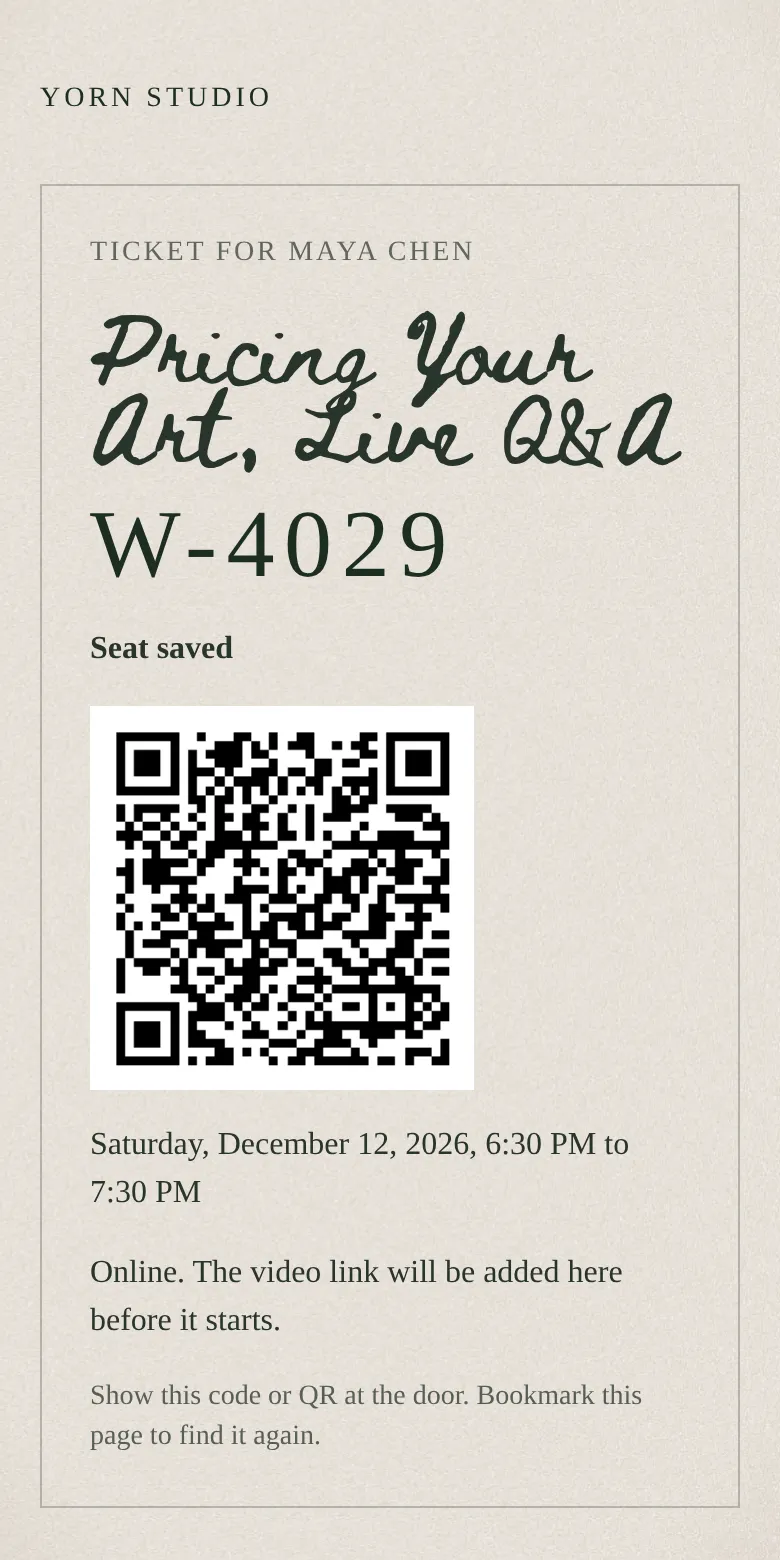
A one-time $79 that works on either plan. Your classes get their own event page in your studio's look. Buyers get a ticket email and a ticket page with a door code and QR for check-in.
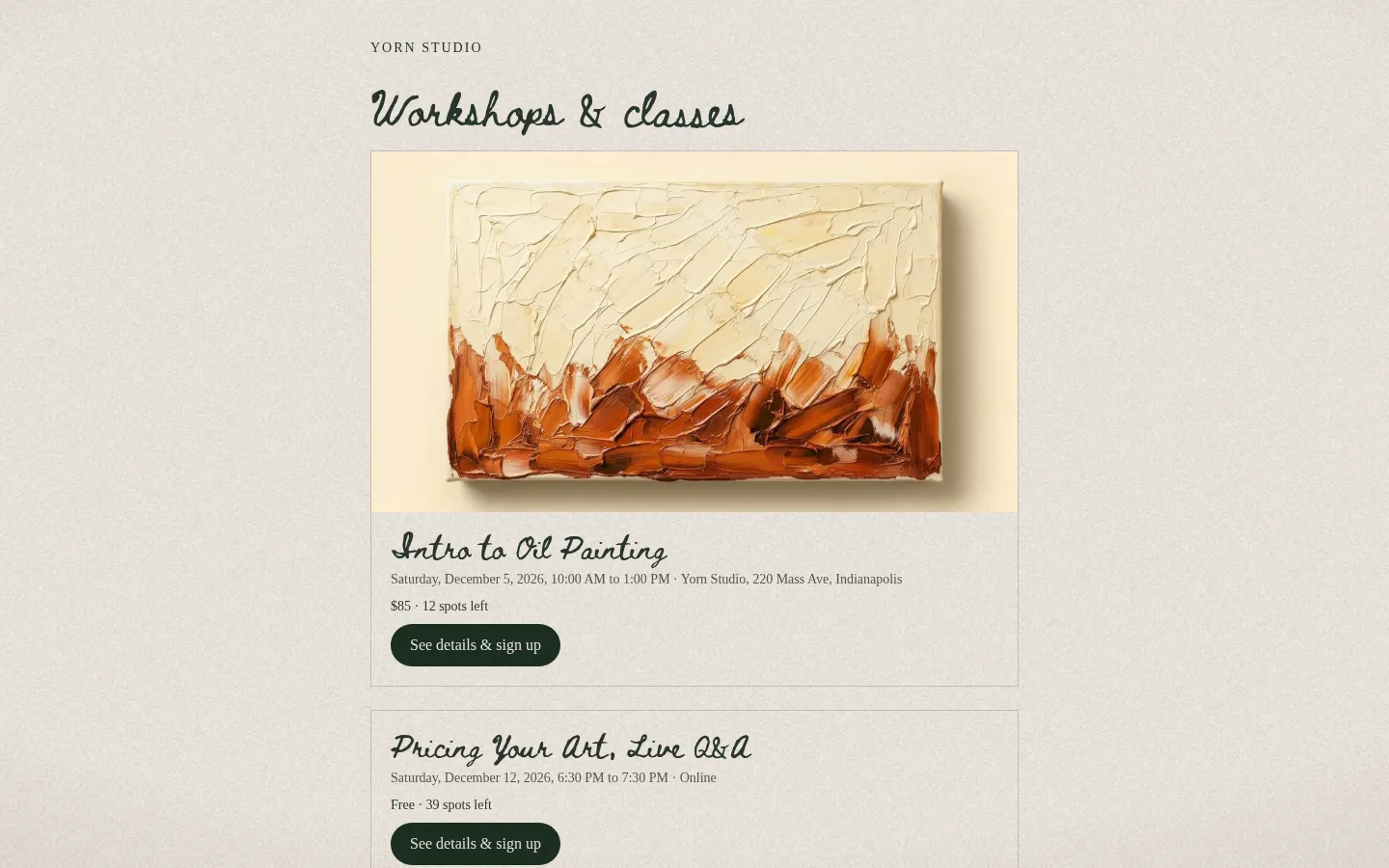
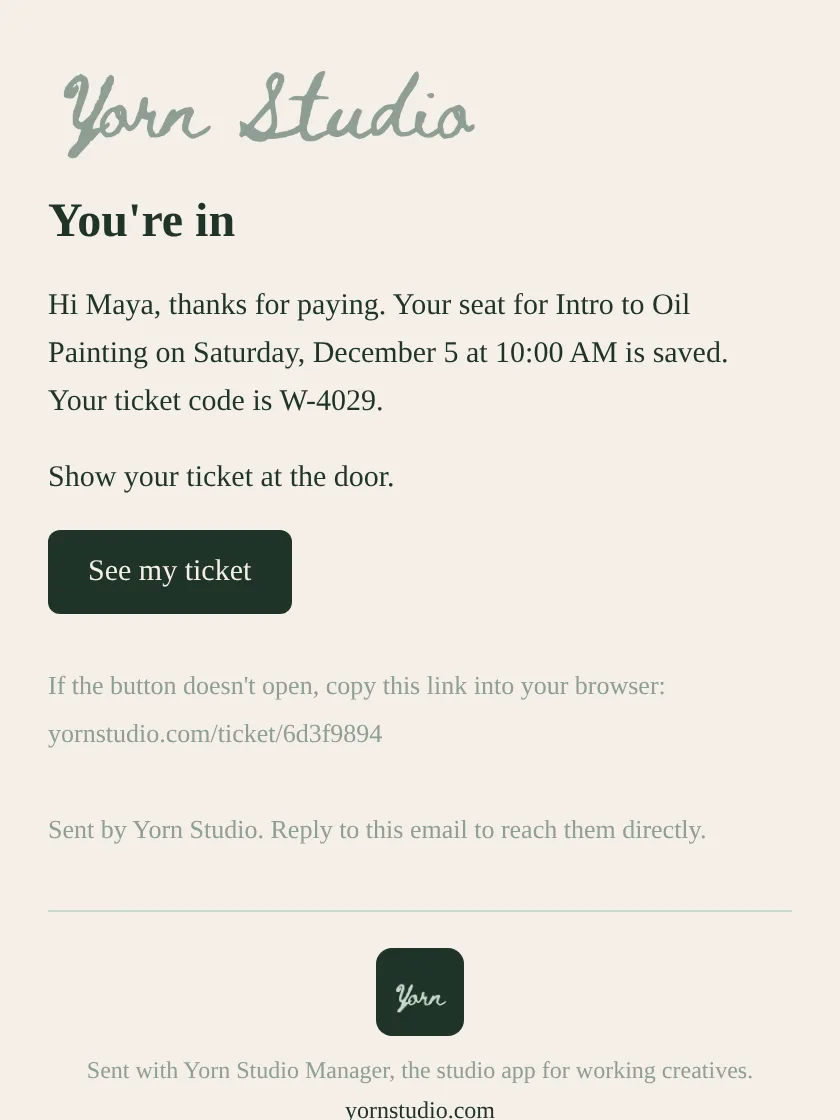
Public workshops page with a painting flyer, date, price and spots left, on a computerTicket email the buyer receives, with their ticket code and a See my ticket buttonTicket page on a phone with the door code and check-in QR
The Yorn App

Fewer subscriptions. One studio manager.

The tools creatives patch together each month, in one app built for the way creatives work. Most people only pay for a few of these. Find yours.

  • Client booking & session packages
    Calendly, Acuity
    $15–20/mo
  • Quotes, proposals & invoicing
    HoneyBook, Bonsai, QuickBooks
    $15–35/mo
  • Client list, follow-ups & outreach
    Dubsado, Notion
    $15–30/mo
  • Studio emails & announcements
    Flodesk, Mailchimp
    $13–25/mo
  • Client portals
    Copilot, Moxie
    $15–30/mo
  • Portfolio with prices & buy links
    Format, Cargo, Adobe Portfolio
    $12–22/mo
  • Time tracking
    Toggl, Harvest
    $10–12/mo
  • Contracts & signatures
    DocuSign, Dropbox Sign
    $15–30/mo
  • Receipt scanning
    Expensify, Dext
    $12–25/mo
  • Mileage logging
    MileIQ, Everlance
    $6–10/mo
  • Inventory, certificates & wall labels
    Artwork Archive, ArtManager
    $14–24/mo
  • Gallery consignment & art fair sales
    Spreadsheets, Airtable
    $0–20/mo
  • CV, grants & residencies
    Airtable, Milanote
    $10–20/mo
  • Class & workshop tickets
    Eventbrite, Podia
    $10–30/mo
  • Peer critique
    Patreon & Discord crit groups
    $10–25/mo
a typical patchwork

3 or 4 tools

like booking, invoices, and a portfolio page · about $40–75 a month
Yorn Pro

$20

per month · or $200 a year · free plan available

Replace just a few and save $250–700 a year.

Start free

Estimates based on typical entry-level plans of each service. Prices vary.